The best work order software for QuickBooks
Track work orders, schedule jobs, and keep field and office teams aligned—all synced with QuickBooks in real time.
Want to see Method in action first? Take me there →
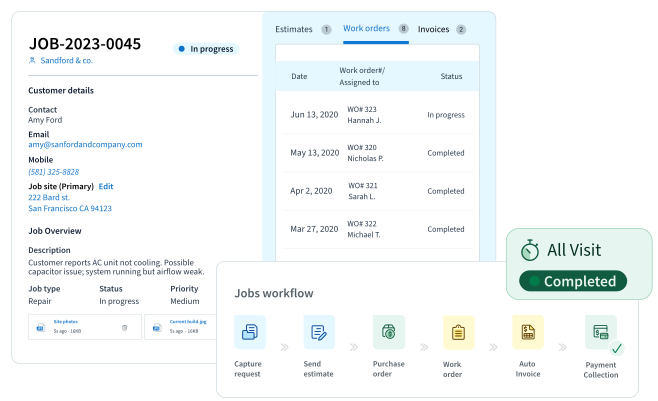
Work order tracking made easy
Manage jobs from request to completion with Method’s work order software built for QuickBooks users.
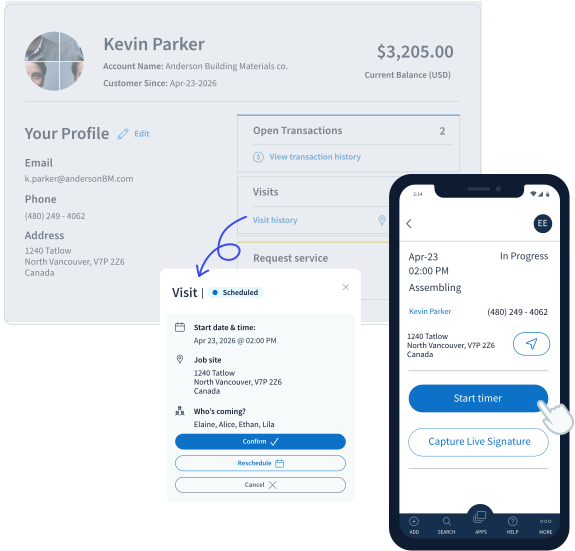
In the office
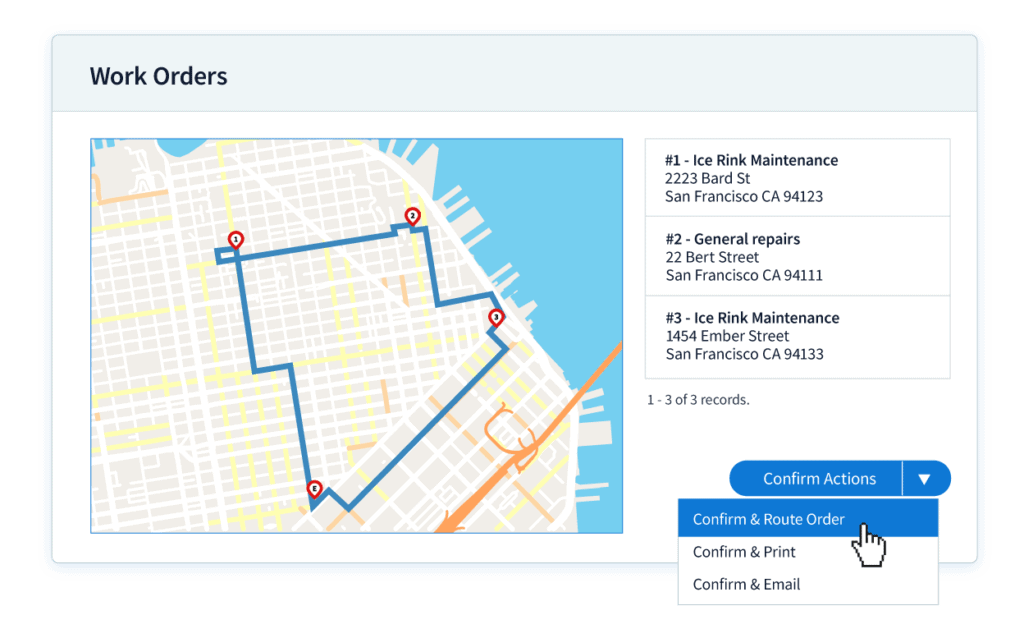
Create work orders using QuickBooks data, then schedule and dispatch them from one centralized workspace with full visibility into job status.
In the field
Method goes wherever your technicians go, giving them real-time access to work order details, customer history, and job instructions.
After the job
Convert completed work orders into invoices in just a few clicks, then collect payments through an online customer portal.
Create work orders faster with QuickBooks work order software
QuickBooks data at your fingertips
Create new work orders in Method using customers and items from QuickBooks, or convert an existing estimate into a work order in just one click.
Never miss a repeat job
Set up recurring work orders in Method to schedule service visits that occur yearly, monthly, weekly, or daily.
Keep track of every detail
Attach photos, documents, and instructions to each work order alongside the customer, location, and job details.
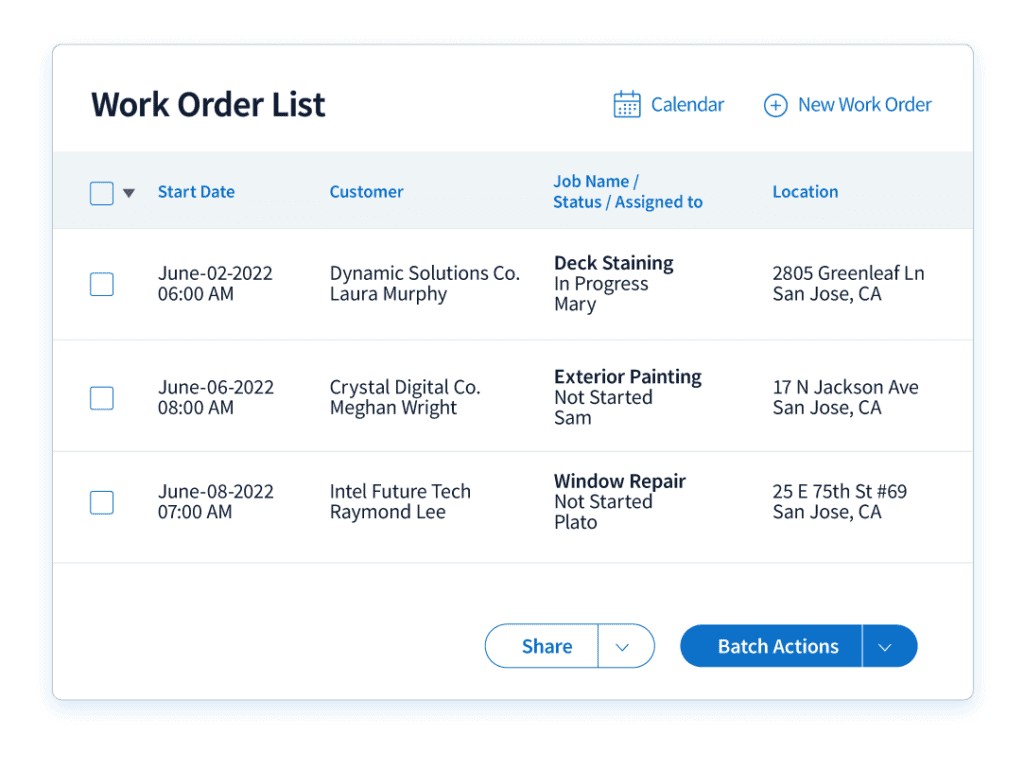
From sales order to invoice: End‑to‑end job management
Sales order → Work order → Invoice lifecycle
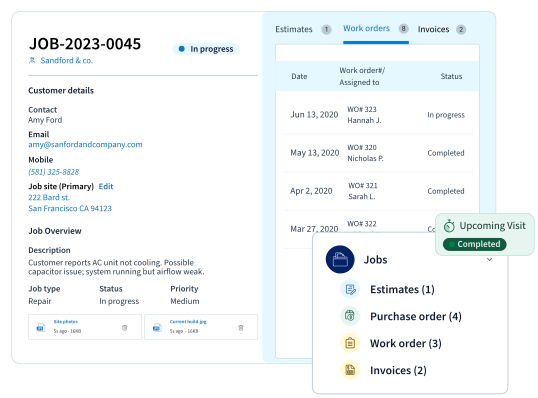
Service businesses rely on Method to manage the full workflow in one system. Teams create a sales order, convert it into a work order, and generate an invoice in just a few clicks.
Method CRM supports time tracking and job costing by logging labour and materials against each job for more accurate billing. Integrated payment options help customers pay quickly and keep revenue flowing.
Work order software that syncs with QuickBooks in real time
Method is built for QuickBooks Desktop and Online users who need work order software that keeps operations and accounting connected. Unlike tools that rely on batch updates, Method keeps customer, invoice, payment, and job data current with native two‑way sync.
This deeper integration reduces duplicate entry, prevents manual errors, and helps teams move faster from completed work to billed revenue.


























Customize every workflow with Method’s work order software
Method’s work order software for Quickbooks lets you shape workflows around how your service business operates.
Workflow customization
Adjust how work moves through your system by reordering screens, fields, and forms.
Custom fields
Capture service notes, parts data, and customer‑specific job details.
Preventive maintenance
Schedule recurring service visits without rebuilding the same job each time.
Role-based dashboards
Managers track performance while dispatchers and technicians see assignments and updates in real time.
Modules tailored by service type
Configure Method to support HVAC, electrical service, maintenance, and more.
Simplify your scheduling
Reduce admin work for dispatchers by scheduling, assigning, and managing work orders from one place.
Method offers clear visibility into upcoming jobs and technician availability, teams can keep work moving while minimizing delays.
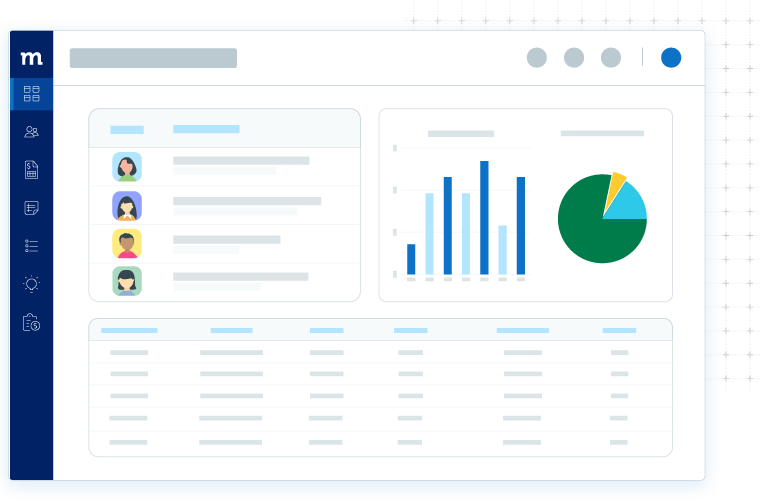
One dashboard for operations, accounting, and customers
Method lets you build real‑time dashboards that bring operational and financial data together in one place. Track work orders, job performance, and customer activity without switching between tools.
With Method, customer history and job data sit alongside your QuickBooks accounting information, giving operations and accounting teams a shared view of the business.
Empower your field crew to stay connected
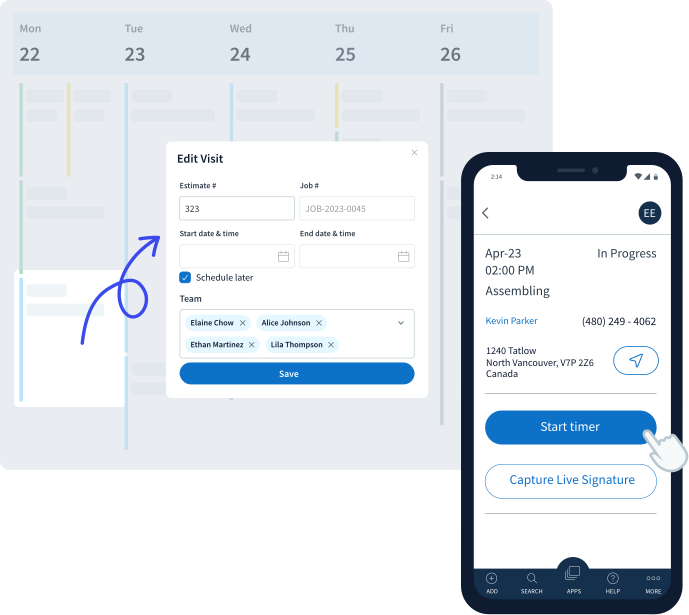
Give your field technicians the tools they need to deliver great service with Method’s mobile-friendly work order software.
Stay on schedule
Field crews can view daily assignments and job details from their mobile device.
Capture customer signatures
Technicians can collect approvals on site to speed up billing with the Method mobile app.
Keep track of labor
Technicians track hours with a simple timer that syncs with QuickBooks.
How Method compares to other QuickBooks work order software
| Feature | Method CRM | Spreadsheets | Rigid field service management tools |
|---|---|---|---|
| Customization | Automated workflows, custom fields, and dashboards let you shape the system to your business needs without coding. | No real workflow customization, every change is manual, and you’re more prone to manual mistakes. | Workflows are preset and hard to change; customization is limited and costly. |
| Workflow fit | Built around service business processes, from lead to scheduling to billing, all in one system. | Manual tracking creates bottlenecks and inconsistent processes. | Fixed workflows often don’t match how your business actually works, requiring compromise. |
| Accounting integration | QuickBooks integration keeps customer, invoice, payment, and job data up to date. | No integration by default, updates require manual entry, leading to errors. | Syncs are usually batch-based or separate, leading to delays and mismatched data. |
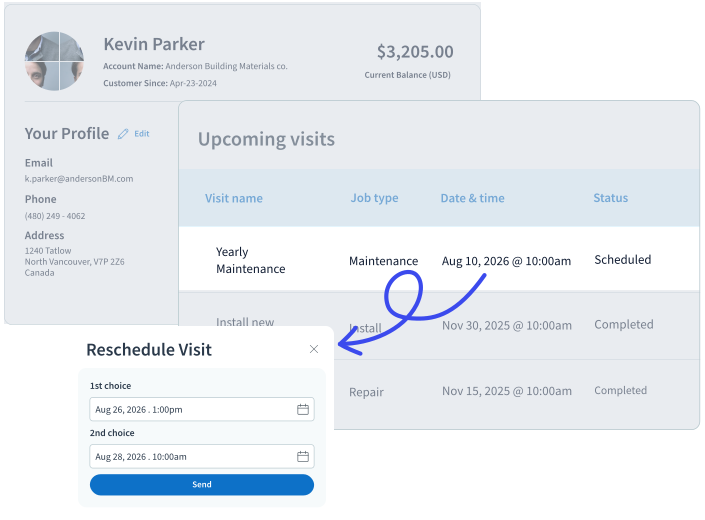
Customer experience that drives satisfaction
Method CRM gives your team a complete view of every customer, including service history, estimates, invoices, and job records.
Create a customer portal so clients can review activity, approve documents, and pay invoices online. Real‑time work order updates keep customers informed.
Work order software for QuickBooks: FAQs
Does work order software work with QuickBooks Online and Desktop?
Yes, work order software often connects to both QuickBooks Online and Desktop, but the level of integration varies. Some only sync data in batches, which creates extra hassle and requires manual updates. Method offers two-way, real-time QuickBooks integration that seamlessly keeps all your invoices, payments, and work orders current.
Can I track time and job costing using work order software?
Yes. With Method’s work order app, you can track time, materials, and job details. This helps service teams stay on top of profitability and make better decisions based on real-time data.
Is there a mobile app for field technicians?
Yes, work order software often includes mobile tools for teams in the field. Method offers mobile features designed for field service businesses, giving technicians and dispatchers full access to work orders, real-time updates, and automated follow-ups wherever they are.
Can I customize work order workflows?
Yes. Many work order systems let you tailor forms, fields, screens, and workflow steps, but flexibility varies. Some tools are rigid and don’t adapt well to your business needs. With Method’s customization services, you can configure your workflows to match how your team operates, so jobs move smoothly from start to finish.
How does work order software improve cash flow?
Method’s work order software helps you generate invoices faster and keep billing aligned with job progress. Method helps eliminate delays caused by manual tracking or disconnected tools, allowing teams to bill faster, reduce errors, and improve cash flow by keeping revenue moving efficiently.
What’s involved in work order software setup and onboarding?
Work order software setup typically includes connecting to your accounting data, importing customers and items, and configuring workflows. Method offers guided onboarding, starting templates, and support to help teams configure their work order workflows without disrupting daily operations.
How does Method optimize work order functions for small businesses using QuickBooks Desktop or Online?
Method connects scheduling, job tracking, invoicing, and customer management in one system that syncs directly with QuickBooks. Instead of juggling spreadsheets or separate tools, teams can manage the full work order lifecycle in Method while keeping QuickBooks accurate in the background. This reduces duplicate entry, minimizes errors, and ensures everything stays aligned as your business grows.
How is Method different from other work order software for QuickBooks users?
Most tools handle scheduling or invoicing but don’t fully connect with QuickBooks. Method is built for QuickBooks users, with a real time, bi-directional QuickBooks sync that keeps everything aligned. With Method, you can customize workflows and manage your entire work order process in one place without duplicate entry.
How does Method help automate invoicing for work orders?
Method’s work order software makes it easy to generate invoices for completed jobs. Invoices sync directly with QuickBooks, and customers can conveniently view and pay them anytime through an online portal.